Category: Uncategorized

  • What is PHP Programming Language?

    What is PHP Programming Language?

    What is PHP? Those new to website design or business owners wanting to launch a site will inevitably hear about the PHP programming language and wonder exactly what it is. In technical terms, a PHP website is one that has been partially programmed in what is known as “Hypertext Pre-processor”. This coding is what’s called “server-side” language, which helps to make pages load more quickly.

    In layman’s terms, the answer to what is PHP is it is a type of language that is used in conjunction with HTML to produce some really neat effects. In other words, it means that HTML is pretty lackluster. But add PHP language to a website’s code and it can perform a number of different functions. Sophisticated designers incorporate PHP frameworks into their designs for far more flexibility. Moreover, they do so early on, when the website architecture is first being developed.

    What is PHP?

    Simple PHP resides on the server. The best way to explain this is to think of old dail-up connections. In the past, websites were coded from top to bottom with all the necessary languages and mark-ups. That made them sluggish and slow to load. The reason being is when a user typed in a URL, the user’s machine had to load all those lines of code.

    That was plain HTML code. But a PHP website “rests” its code on the server which the website is hosted. So, when the URLs of PHP websites are entered into an addresses bars in browsers, the users’ computers do not have to “build” the code. Instead, the PHP language is read through the user’s Internet connection. That significantly reduces load time.

    PHP Examples in PHP Website

    Reduced load time isn’t the only benefit of having a PHP website. There are many more. Below are just a few of the most advantageous reasons for having PHP websites:

    • php programming
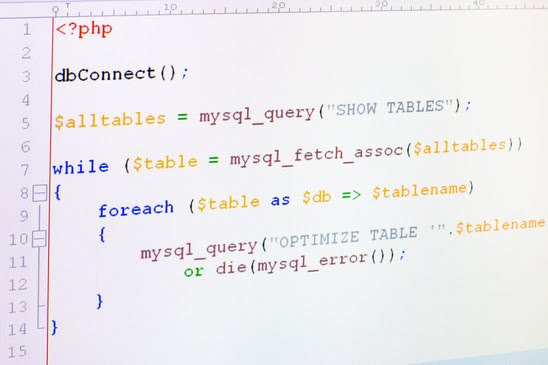
      PHP programming is used in webdesign & building websites

      Performing calculations. Things like calculating the day, month and year to time of day to simple and complex mathematical functions such as monetary and measurement conversions.

    • Collect user information. If you want to add a forum to your site, using PHP language can help. The programming language can also add user information to an address book.
    • MySQL database interaction. This is useful for many functions. This allows sites to display an online inventory, publish a product catalog, create a search feature for the website’s content or a log-in panel for registered users.
    • Graphic creation and editing. Another great feature of using PHP is the ability to create and manage graphics. It simplifies the task of resizing images, changing colors and rotate them.
    Other cool benefits of using PHP language is being able to publish a large image gallery, ensure form details are properly filled-out by users, and create surveys.

    So, there you go; that’s the answer to what is PHP. If you want a fully functional website with all the aesthetic design bells-and-whistles, then contact us for a free consultation. We can design a site for you that utilizes PHP and gives it the many benefits plain HTML sites lack.

  • The Best Affiliate Marketing Pointers To Help You Grow Your Brand

    Do you have a great idea? When you have a good idea, be sure you’re able to effectively market it that so you can create business for yourself. Read the helpful tips below on internet marketing to give your business a boost.

    Try not to give up. You may be closer than you think to becoming a successful internet marketer when you make the choice to give up. Before launching any sort of site, make sure you have thoroughly planned your strategy. Launching your website will take a lot of hard work and will probably include bumps along the way. Remember that this intensive work will be well worth it in the long run.

    When engaging in online marketing, monitoring what your competitors are doing is a crucial step in the process. Every business has its competitors, and you need to be aware of yours.

    TIP! Whenever you correspond online, include links to your business webpage in your signature. If you post a lot in forums or on message boards, your link can appear in every single post, if you put it into your signature box.

    A great tip is to ensure your web page stands out. With such a large number of websites on the Internet, it is important that your site stand out. One way to achieve this is to focus on exclusive products and services.

    Use a lot of promos on your check out page. A customer can put a few different products in with the order to say thanks. It is a great way to clear out surplus inventory and increase sales, while letting the customer feel that he is getting a bonus.

    When you are building your website, your goal should be to provide high quality, comprehensive content. You need to educate your customers as quickly as possible, so they will know what to buy. Don’t be wordy about your product descriptions. Get down to business and focus on what is absolutely necessary for the customer to know to make a gooe judgement call on whether or not they want to buy your product.

    TIP! Put serious thought into your site tags since they define your business to the world. The title of your website can determine how your customers perceive your business’s website.

    Success and profits are the goals of the day. Since these tips will help you become successful, do not ignore them. With a bit of focus and some dedication, you can reap the rewards of a successful web marketing strategy.

  • How to create an xml sitemap for your website:

    This page will explain how to create an Search Engine friendly sitemap for your website using XML coding.
    There are websites like XML-Sitemaps that allow you to “automatically” create a sitemap for your website.  This is a great tool if you don’t know what you are doing, or if you need a quick sitemap to post to Google (how to post sitemap to google)

    XML-Sitemaps.com is my personal favorite for creating sitemaps. Its pretty straight-forward and delivers your sitemap in several forms.  XML, HTML and Zipped.

    It is always best to download the HTML version of your sitemap and include a link to it “SITEMAP” on the landing page of your domain.  This is so Google see’s it instantly and then begins to follow the links accordingly.

  • WordPress Shortcodes – The Complete Guide

    WordPress Shortcodes – The Complete Guide

    WordPress Shortcodes were introduced with the 2.5 version and have since caught on as one of the most useful features of the publishing platform. With the implementation of wordpress shortcodes, even the most average user has the capability to publish strong and attention-grabbing content utilizing macros while limiting the amount of programming skill the user must possess.
    When shortcode is inserted into a post or page it is used a way tell the language to replace the code with something else. Insertion of the shortcode instructs WordPress to find the macro tied with the command within brackets and replace it with the correct content produced via a PHP function.

    Using shortcodes is relatively simple with a little bit of practice. For example, if the user wants to show the most recent posts in a comment board a command such as: 1 | [recent-posts] could be used to show the most recent comments made on the board. To limit the number of posts that are retrieved a slightly more complicated command such as: 1 | [recent-posts posts=”5”] could be used to set a parameter, which in this case is the number of posts to display. These are just examples of what can be done using shortcode in WordPress. The possibilities with shortcode varying depending on how well versed the user is with shortcode. Delving into both simple and more advanced shortcode allows the user to become more comfortable while also allowing the user to create more intricate and powerful websites.

    Creating code for simple shortcode is just that: simple. Using simple commands does not require the knowledge of any advanced PHP and can be adhered to by following a few simple steps. The first step when utilizing simple shortcode is to create the function. WordPress will call on this function when it finds the shortcode within the code. When the shortcode is identified by WordPress it is then replaced by a preset piece of code, which acts as the callback function. This callback function does not print any information but instead just returns a string of information to used.

    Example of WP Shortcodes

    The next step is to register the shortcode through the use of a unique name, which can be anything but it is recommended that simple names that adhere to the programming goal are used in order to avoid any confusion. When a shortcode is found the code, the function is called upon automatically. This is where unique names are important so there are no conflicts between other functions that may be called on.

    Finally, the user must tie the registration function to an action to be carried out by WordPress. This is done by simply tying the function in with the initialization action built into WordPress.
    As mentioned before, shortcode can be used in a more advanced fashion. This usually requires the usage of parameters, which can add some complexity but also lifts some of the restrictions that are present with simple shortcode.
    Using the example touched on previously, if the individual wants to display the number of recent posts extra options need to be added to the shortcode. These extra options are going to be dependent on the number of posts the individual wants to display. To do this, two functions need to be used. The first function is the inherent shortcode_atts() function. This function acts to combine shortcode attributes with native attributes while also filling in defaults when needed. The function that must be used is a PHP function, extract(), which acts to extract shortcode attributes, hence its name.
    The user must then extend the callback function that was created earlier. This is done by adding an argument which is simply an array from which the parameter feeds on for the correct number of posts. The database is queried to get the correct number of posts and an HTML list is created to display the posts. This is just a simplified example of the versatility of more advanced shortcode.
    Shortcodes in WordPress enable users to simplify code while completing more complex tasks. Shortcode can be used in a variety of ways and the options are limitless once the individual becomes more familiar with the capabilities of shortcode. The best way to master shortcode, like any other code, is to practice and become familiar with the intricacies of the code. Shortcode can be the key to developing powerful and aesthetically pleasing websites.

  • High Quality WordPress Tips Straight From The Experts

    Do you want to learn more about using WordPress? If so, keep reading. This article will provide you with information on what is one of the most popular blogging platforms. Read this article to find out how you can use WordPress with ease.

    If your blog post includes a long title, adjust your permalink. Something like, “The Top 5 Ways Parents Discipline their Children” is a little too lengthy. You can simply shorten that to include only the keywords.

    TIP! Make sure you have a unique template for your WordPress blog. It can be tempting to do this since it saves lots of time, but it will not give users the best impression of you.

    If you have a lot of comments and other content that is not adding value, delete it. In this way, your site will be inviting and comfortable for your users. Akismet is a plugin that can be used to keep spam off your site.

    Make sure that your work is saved at all times. It is probably not the truth. To remedy this, try clearing your browser’s cache. Make sure to press the shift key on your keyboard as you do it, and the issue should have been solved.

    TIP! If you have a long title on a post, be sure to clean up your permalink. For example, “Ten Ways for Smart Parents to Tame Their Kids” would appear as a long, cumbersome URL.

    Posts are always shown chronologically, until you say otherwise. If you want to rearrange some posts, you will have to modify the date of your post. To do this, open up a post and look for the date located at the top of the right corner. To change the posts position, click the date and change it.

    Do your posts attract lots of comments? In these instances, it might be hard to navigate the comment section. Use a plugin that adds pages to your blog comments. Not only will your blog look more organized, but it will also make navigation a lot easier.

    TIP! Spend some time getting to know all of WordPress’s tools and options. For instance, the button named kitchen sink gives you multiple formatting and importing options for your posts.

    Security is something a WordPress site needs, and that’s why you need to keep passwords secret. Additionally, don’t download plugins from unknown sites and read reviews prior to installing anything. If your site is hacked or attacked with malware, you could lose the whole thing.

    Titles and targeted descriptions are important. Search engines direct web traffic to these pages first. Therefore, they are quite important. You can use SEO software called Scribe to get more control on these elements in your site. It allows you to edit these parts of your pages to get even more traffic.

    TIP! Video blogging is easy with WordPress. Although you may have to put in a little more time, you will get rewarded for your effort in the end.

    Make sure your plugins remain updated. Plugins can add a lot to your site; they have many unique features. But like any other software, it is important to update it. Your plugin might stop working or not work as well as it can if you stop updating it.

    Make sure you have the most current WordPress on your website. There are security patches in updates, which decreases vulnerabilities. Your site can be at risk for malware attacks if you’re not using the most current version. That is why it is important to install updates as soon as they come out.

    TIP! Learn about WordPress before you install it. By planning before developing a blog, you can save yourself both time and effort.

    Striving to use WordPress as a powerful blogging tool is not a difficult venture, especially now that you have more information about the many tools available to you. Keep in mind the information above, and re-read the information if you need a refresher as you start blogging. When you use this information, you will reap its benefits.

  • E-Commerce Website Advantages

    E-Commerce Website Advantages

    There are several e-commerce website advantages. An e-commerce website can have tremendously positive impact on a business’ profit margin. These customer-oriented sites make shopping simple, enjoyable and secure. Business owners, meanwhile enjoy enormous cost savings in using an e-commerce website. These Internet based retail locations are a win-win situation for both vendor and consumer. It’s not only convenient, shopping on e-commerce websites has exploded and will continue to grow. In fact, by the year 2016, online retail sales will reach $327 billion, a 62 percent rise, according to a report by Internet Retailer.com.

    In the interim, statistics show brick-and-mortar locations will see less of an increase in overall sales as technology quickly moves shoppers to mobile platforms. With such a huge advantage, business which invest in an e-commerce website will be able to take advantage of the upward trend.

    E-Commerce Website Benefits

    E-commerce website advantages have significant benefits over physical retail locations. Besides being only a mouse click away, an e-commerce website can grow with the pace of a business. Unlike a physical store, when a business grows or contracts, it doesn’t mean a complete reorganization of the store layout. It also saves a great deal of operating capital for companies which needs to expand it’s footprint.

    E-Commerce Website Versus Brick-and-Mortar

    While brick-and-mortar locations will be a part of consumer life for decades to come, the trend of less is more has begun in earnest. Big-box retailers are shifting to smaller footprints, the LA Times reports. And there’s a reason for the trend.

    1. Higher Margins. Because a business isn’t paying into a Triple Net Lease, costs are reduced and inventory sales margins increase as a result.
    2. Less Overhead. Being online means fewer employees. Fewer employees, make for a smaller payroll, decreased benefits expenses and greatly curtail employee theft. It also reduces sick days and helps to lessen bad customer service.
    3. Less Shrink. Shrink is generally defined as receiving damaged goods from a vendor, returns and shoplifting. With an e-commerce website, these factors are substantially reduced.
    4. On-Demand Information. It’s difficult to properly equip every employees with intricate knowledge about all product offerings. But with an e-commerce website, there’s no limitation to descriptions, reviews and other information customers will seek-out.
    5. Customers Save Time and Money. Gas prices will only rise in the future. Traffic congestion won’t be a thing of the past for many decades. Customers find the convenience second-to-none shopping on an e-commerce website. Checkout is secure and their purchase history is only a few clicks away.
    6. On-Demand Accessibility. An e-commerce website is there for customers 365 days per year. It’s open 24 hours a day, 7 days a week.
    7. Geographical Boundaries Disappear. Consumers are becoming increasingly more comfortable with purchasing products over the Internet. Location is no longer a boundary. Consumers from across the county line to another hemisphere can find an e-commerce website and shop without leaving their home or office.

    If you want to know a bit more about creating an e-commerce website, then contact us for a free, personal consultation. We can help you to plan and design an e-commerce website that specifically fits your business’ needs. We’ll help you drive traffic to your site and increase your online sales.

  • Your All-In-One SEO Guide For More Effective Content

    Dealing with your search engine optimization can be difficult. With the vast amount of information available online, it can be nearly overwhelming at first. However, this article is going to aim you in the right direction.

    Make sure that your code is clean and concise to maximize your search rankings. For example, a site that relies heavily upon JavaScript must be coded efficiently, so that it can be indexed by search engine spiders. Using Flash without textual descriptions makes it impossible to index your site.

    Additional advertising doesn’t typically boost search engine rankings. Advertising is a great way to boost momentary traffic, but not like the traffic built through boosted rankings.

    TIP! When using SEO techniques on your page, don’t fall for adding lots of extra advertising to boost your rankings in the search engines. Sure, advertising can mean more visitors, but that doesn’t immediately equate to better page ranking.

    There are many different techniques you can use to improve your search engine rankings. Your results will be optimized by making sure your keywords are large in variety and spellings. The optimized performance will make your readers happier as well.

    Keyword density is vital when you optimize a web page for search engines. Focus on keeping each page’s keyword content well under 20 percent.

    Patience is crucial if you are trying to boost your site’s ranking. Change takes time, and this will not happen instantly. Contrary to what some may tell you, it can be months before you start to get a steady stream of traffic, especially if your site has just been built. Like the promotion of any brand, time needs to be taken to build brand awareness.

    TIP! If you want to rank high in a search engine, do your part to help out web spiders. Web spiders read the content of your website and determine your search ranking based on this; however, they need a way to easily distinguish what your content is.

    Learn what kind of experience they have in SEO. You need the best information and knowledge of risks to make an informed decision.

    Retaining the visitors you get from search engines will not only increase your profits, but also your search engine rank. There is evidence that the quantity of time spent on a site influences the ranking a site gets. This trend has been established through metrics like Quantcast scores. Including features such as discussion areas and interactive forums is an effective way to get your visitors to stay for a while.

    Promote yourself as being an expert in your niche. This is a profitable way to market your sites. Build a site that is designed with your buyers’ needs in mind, then implement SEO strategies so that they can locate what you have to offer. In doing so, make sure your website is centered on the actual needs of this target audience, not just on your perception of their needs.

    TIP! To help to keep your website visitors interest, you need to make sure that your website’s content does that. A large part of using SEO is bringing people to your website repeatedly and keeping them there.

    After all is said and done, you can do what is needed for SEO purposes now. There are lots of tips available, but you can find the better ones here. Hopefully this has give you all that you need to build a foundation in SEO while making sure you are inspired to excel.

  • What does Contextual Link Inventory mean?

    What does Contextual Link Inventory mean?

    Contextual Link Inventory or CLI is text-link advertising that is displayed based on the relevance of surrounding content.

    Contextual Link Inventory is mostly done on websites (via networks like Google Adsense) and via search engine results pages (SERPS).

    The ad server checks the content of pages or search queries (on SERPS) to find matching ads. The success of the Contextual Link Inventory depends on the quality of the content and the relevance of the content to the niche/theme or the core objectives of the web site. Ads that connect better to the pages content have higher click-trough rates then unrelated ads.

  • Off Page SEO Techniques & Tips

    Off page SEO is the practice of using what are known as “Web 2.0 properties” to build a conglomerate of links back to a specific site or page within a site. These properties are carefully chosen on a case by case basis to render the greatest off page SEO results. Keyword analysis and context are especially important for a successful off page SEO campaign. Also, SEO off page is impacted positively or negatively by timing. Too much too quickly can cause search engine penalization or outright being dropped from search indexes.

    What is Off Page SEO?

    For those discovering search engine optimization, there are two distinct types of optimization: on page or on site and off page or off site. The former are elements which are performed within a website’s code and its visible content, including images, audio and video. The latter or off page SEO, deals with elements outside a target or “money” site. Only after the on page SEO is complete, can the off page SEO campaign start to up search rankings. And following a basic off page SEO checklist helps.

    WARNING: The following off page SEO tutorial requires specific knowledge of search engine algorithms. Misusing any of these techniques can cause your site to be penalized or dropped from search indexes for web spamming.

    Off Page SEO Checklist

    There are several resources across the world wide web on which to build links for effective off page SEO. These properties are plentiful, so choosing the right ones is critical.

    • Guest Blogging: guest blogging is the practice of creating unique content, informative posts and offering them to sites with high page rank authority. Inbound links are included and reciprocal linking is common in using this off page SEO.
    • Social Media Profiles: social media platforms are index by search engines. Therefore, using these platforms to create backlinks has become common practice. But self-serving ubiquity must be considered seriously when using social platforms in off page SEO.
    • Forum Posting: forums are interactive Internet platforms which allow registered users to ask questions, offer answers and explore ideas. These are viable link building tools but only of good use when strictly complying with the forum’s posting guidelines.
    • Search Engine Submission: submitting a site’s URL or Uniform Resource Locator directly to search engines for indexing is another off page SEO resource. But submission can take 3 to 6 months or more to complete.
    • Directory Submission: like search engine submission, it takes months for new site submissions to be completed. These directories are voluminous and numerous so not all are worth the time and effort.
    • Social Bookmarking: like social media platforms, social bookmarking sites can be a useful off page SEO resource. However, these sites are often spammed by new users unfamiliar with how to use them and users can be suspended or dropped as a result.
    • Link Exchanging: also known as “Thematic Link Exchange“, exchanging links is another way to create inbound links. However, black hat SEO practices commonly use this reciprocity.
    There are also off page SEO resources such as article directories and Q&A communities. But these can easily be abused by users, consequently, their effectiveness drops.

    If your site needs to up its search rank through off page SEO optimization, then contact us for a free, expert consultation. We can further educate you about off page SEO and discuss the many different options available.

  • Apache vs Microsoft IIS Windows Web Hosting

    Apache vs Microsoft IIS Windows Web Hosting

    Apache HTTP Server

    Apache is open-source. Which means it’s totally free, and is supported and developed by the Apache Software Foundation. Apache was first developed in 1995. It has been credited with enabling the growth of the web. In 2009 it became the first web server software to surpass the 100 million website milestone. Apache was developed to be an alternative to the Netscape Communications Corporation web server (which is now known as Oracle iPlanet Web Server). Apache give’s other HTTP servers a run for their money. Developed by an open community of programmers, Apache can run on a variety of Operating Systems including Unix, FreeBSD, Linux, Novell Netware, Solaris, AmigaOS, Mac OS X, Microsoft Windows, OS/2, TPF and eComStation.
    Apache is currently the most popular HTTP server in use today. Since being released in 1996, Apache has served over 59.13% of all websites and more than 66.62% of the busiest sites.
    As with any type of software, Apache has its own set of features that are developed in order to keep websites running fast, stable, and efficient. Apache uses modules to increase its functionality. The modules can range from server side modules, meaning that they are enabled and configured through the Apache Server itself. To different authentication schemes. PHP, Perl and Python are common programming languages supported by Apache HTTP server. Other features include SLL and TLS support using the mod_ssl and mod_proxy modules provided by Apache.
    Apache’s main website is http://httpd.apache.org/ and features a ton of information on the product. Such as enabling and disabling modules, How to use the features of the HTTP server, performance settings, developer info, downloads and more. Google is a big supporter of Apache, and also provides information on their site on how to increase your website speed. Google also considers website speed and loading times to be a factor of search engine optimization (SEO) and will rank your page on the search engine results page accordingly.

    Microsoft II Server

    IIS Hosting by Microsoft
    Internet Information Services (IIS) – formerly called the Internet Information Server – is a web server application and set of modules which enhance functionality created by Microsoft to be used on the Microsoft Windows operating systems. It is the most popular used web server after Apache HTTP Server. As of January 2011, it has served 21% of all websites on the Internet and 16.22% of the busiest one million websites on the Internet. It supports pretty much the same protocols as Apache HTTP Server, including FTP, HTTP, HTTPS, FTPS, SMTP and NNTP. IIS is not turned on by default when installing Microsoft Windows operating systems.

    Advantages / Disadvantages

    Advantages and Disadvantages
    IIS and Apache HTTP server operate and are maintained differently, which leaves room for advantages and disadvantages over one another. IIS is only available to run on the Windows environment, with IIS 6.0 only to run on the Windows Server 2003 platform. The process of accepting requests from the clients and then processing them has recently been split into separate components allowing a more efficient IIS server. By separating the processes like this, it allows the requests to be accepted even when IIS worker processes aren’t technically running, and enables finer control on the worker processes that handle requests. This means the admin can recycle requests to recover from an extension and application failures that would have previously required a shutdown/restart of the IIS service, or in some cases, rebooting the entire server.
    Apache is listed as open source, and is also free. So that is the main advantage it has over IIS. With its ability to run on multiple operating system environments, Apache HTTP server, is more versatile, and can run on a paid OS like Windows, or a free, open source OS like Fedora, Centos, Ubuntu or other Linux distribution. Apache 2.0 is a major rewrite of its predecessor. The redesign enables it to support a wide array of platforms and run more efficiently.
    Both HTTP servers feature Independent request handlers, multiple process request handlers, and thread support (ability to run on multiple CPU cores). Both HTTP servers have the ability to work with dynamic web content, supporting Java Server pages and JSP applications without the programmer having to make many changes. ASP can be supported on Apache via the ASP Module.
    The only downfall to Apache is its inability to run .Net Integrated web applications. This is where you would need a IIS server.