Blog

  • Google Search Quality Updates – February 7th

    Google Search Quality Updates – February 7th

    We all heard about the dreaded Google Panda update back in 2011. Hopefully you’re site has recovered from the update. Well, let me rephrase that, your methods should be re-evaluated as we all know that duplicate, non-useful content is no good for the Internet. This is Google’s game, they control the gateway to the Internet. Most SEO Professionals focus on one search engine when performing their optimization techniques. I don’t even have to name that one search engine. Have you ever tried inputting your targeted keywords into say, “Yahoo” or “Bing”. You will find that the results are very different.

    Listen, if you watch the Matt Cutts video’s on Youtube, or you follow his blog. You will see he basically preaches two things over and over again. They are to write unique content, and write useful content. That’s it, it’s all you have to do to gain good results in Google and any other search engine. So where does that leave SEO profesionals? – it leaves us to do other things Google doesn’t talk about, but are well within the webmaster guidelines specified by Google. We already know that your websites’ design play’s an important role in SEO, but did you know that speed can be a factor?

    • Fresher results. [launch codename “nftc”] We made several adjustments to the freshness algorithm that we released in November. These are minor updates to make sure we continue to give you the freshest, most relevant results.
    • Faster autocomplete. [launch codename “Snappy Suggest”, project codename “Suggest”] We made improvements to our autocomplete system to deliver your predicted queries much faster.
    • Autocomplete spelling corrections. [launch codename “Trivial”, project codename “Suggest”] This is an improvement to the spelling corrections used in autocomplete, making those corrections more consistent with the spelling corrections used in search. This launch targets corrections where the spelling change is very small.
    • Better spelling full-page replacement. [launch codenames “Oooni”, “sgap”, project codename “Full-Page Replacement”] When we’re confident in a spelling correction we automatically show results for the corrected query and let you know we’re “Showing results for [cheetah]” (rather than, say, “cheettah”). We made a couple of changes to improve the accuracy of this feature.
    • Better spelling corrections for rare queries. This change improves one of the models that we use to make spelling corrections. The result is more accurate spell corrections for a number of rare queries.
    • Improve detection of recurrent event pages. [launch codename “neseda”] We made several improvements to how we determine the date of a document. As a result, you’ll see fresher, more timely results, particularly for pages discussing recurring events.
    • High-quality sites algorithm improvements. [launch codenames “PPtl” and “Stitch”, project codename “Panda”] In 2011, we launched the Panda algorithm change, targeted at finding more high-quality sites. We improved how Panda interacts with our indexing and ranking systems, making it more integrated into our pipelines. We also released a minor update to refresh the data for Panda.
    • Cross-language refinements. [launch codename Xiangfan] Previously, we only generated related searches based on the display language. With this change, we also attempt to auto-detect the language of the original query to generate related search queries. Now, a user typing a query in French might see French query refinements, even if her language is set to English.
    • English on Google Saudi Arabia. Users in Saudi Arabia can now more easily choose an English interface to search on google.com.sa.
    • Improved scrolling for Image Search. Previously when you scrolled in Image Search, only the image results would move while the top and side menus were pinned in place. We changed the scrolling behavior to make it consistent with our main search results and the other search modes, where scrolling moves the entire page.
    • Improved image search quality. [launch codename “endearo”, project codename “Image Search”] This is a small improvement to our image search ranking algorithm. In particular, this change helps images with high-quality landing pages rank higher in our image search results.
    • More relevant related searches. Sometimes at the bottom of the screen you’ll see a section called “Searches related to” with other queries you may want to try. With this change, we’ve updated the model for generating related searches, resulting in more useful query refinements.
    • Blending of news results. [launch codename “final-destination”, project codename “Universal Search”] We improved our algorithm that decides which queries should show news results, making it more responsive to realtime trends. We also made an adjustment to how we blend news results in Universal Search. Both of these changes help news articles appear in your search results when they are relevant.
    • Automatically disable Google Instant based on computer speed. [project codename “Psychic Search”] Google Instant has long had the ability to automatically turn itself off if you’re on a slow internet connection. Now Instant can also turn itself off if your computer is slow. If Instant gets automatically disabled, we continue to check your computer speed and will re-enable Instant if your performance improves. We’ve also tweaked search preferences so you can always have Instant on or off, or have it change automatically.

    Google also did a PageRank update as of February 6th 2012. We are a little late on reporting it because honestly we have been swamped with clients. As you already know, PageRank really has no factoring relations with the way a site is ranked in the search engine results page. Its just a nice way of saying, “Hey, my PageRank is bigger than yours” to your colleagues.

  • Organic SEO Versus PPC Advertising

    Organic SEO Versus PPC Advertising

    Organic SEO has become the way to get a site to rank high in search. In fact, recent changes to both Google and Bing’s webmaster guidelines confirm this. Search engine metrics are dense. Although search engines publish their preferred methods of search optimization, not whole lot is actually known about their logistical inner workings. What those of us on the outside know is what the search engines tell us. This information is augmented through trial and error experimentation by various SEO companies.

    What further complicate matters is search engines change their algorithms on a fairly regular basis. By-and-large, these are tiny changes but some are huge. Three big changes have occurred in the past two years. One such change happened in late 2011–Google’s “Panda”. The next was “Penguin” and the last was known as the EMD or “Exact Match Domain” update. As a result, the dynamics of using article directories and other methods of building links changed drastically. These algorithmic changes essentially shut down sites with poor Internet marketing SEO.

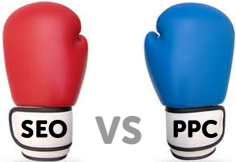
    This gives rise to the old debate regarding PPC and organic optimization. We all know there are two types of SERP or Search Engine Results Page rankings: PPC and organic. The differences are not only in aesthetics, vertical appearance and price but in statistics.

    Pay Per Click Drives

    Everyone who has been on the web is quite familiar with populated search results. After a search has been executed, the top results are highlighted and appear with a small print disclaimer, alerting the user of the fact the first results are paid advertisements but not endorsements of the search engine.

    Known as “PPC” or Pay Per Click, these results are the product of what film makers and television executives refer to as “product placement”. The advertiser is paying a premium to be at the top of Bing and Google’s search results. With that large scale exposure, one would certainly conclude there is a substantial ROI. But the truth of the matter is, organic search engine optimizationgenerally fares better. In fact, PPC might be better viewed as a loss-leader of sorts. Astoundingly, only 10 to 15 percent of click-through traffic is generated by PPC drives. Those stats certainly don’t deliver too much bang for the buck. Another way of measuring this poor performance is to put it in some perspective.

    There are nearly 8 billion searches performed on Google each month in the United States alone, according to Tech Crunch. Of those, about 30 percent are redundant searches, meaning different users searching for the same items, like “iPad mini”. That leaves a hefty 70 percent. And that 70 percent are classified as “long tail”, meaning searches which are irregular keywords or search terms only performed a few times a month. Incredibly, Google has let it be known that one-fifth or 20 percent of those 7.5 billion searches are performed for the first time ever. That means a PPC drive must contain keywords for the most searched terms in the 30 percent of redundant queries and chances are this won’t be the case.

    Organic SEO Campaigns

    Organic results are appear as links under the PPC results but manage to generate far more traffic.

    Why?

    seo organic
    Organic SEO can help a website to rank higher in search engines.

    Because organic SEO campaigns differ as a result of natural search behavior. A well-visited site with quality content and a myriad of social shares and links outperform PPC. In fact, 75 to 80 percent of a site’s traffic comes directly from organic search results. And that’s a far cry from any pay per click campaign performance.

    The reason for such a lopsided disparity is simply due to the human eye and mind. Plain and simple, organic results are just more trustworthy. Organic results gain this exceptional accreditation precisely because of their popularity. The moral of the story is PPC, no matter how inexpensive, simply doesn’t deliver like organic SEO. Better rank is best left to cultivating organic results through a SEO specialist. Moreover, once the PPC drive ends, there’s absolutely no postliminary effect. Organic SEO, however, remains and grows.

    If you’d like to improve your organic search rank, then contact us. We can build a customized optimization strategy which will help increase your site’s visibility and get it more conversions.

  • SEO Dictionary: What is a Reciprocal Link?

    SEO Dictionary: What is a Reciprocal Link?

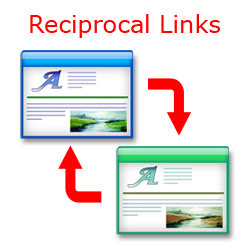
    A situation where two sites link to and from each other, though not necessarily to the pages that contain these links, usually the result of an agreement between the sites.

    Reciprocal Link –From Wikipedia

    Reciprocal link– A reciprocal link is a mutual link between two objects, commonly between two websites to ensure mutual traffic. For example, Alice and Bob have websites. If Bob’s website links to Alice’s website, and Alice’s website links to Bob’s website, the websites are reciprocally linked. Website owners often submit their sites to reciprocal link exchange directories in order to achieve higher rankings in the search engines. Reciprocal linking between websites is no longer an important part of the search engine optimization process.Google and other search engines now do not give credit to reciprocal linking as it does not indicate genuine link popularity

    SEO By the Sea has a great article explaining everything you would ever want to know about reciprocal links including:

    • Search Engine Warnings on Links Between Pages
    • Classifications for Search Ranking Signals
    • Content Based, Link Based, and User Behavior Based Ranking Signals
    • Query Dependant and Query Independant Ranking Signals
    • Mixing Signals and Reordering Page Rankings
    • Links Between Pages as a Ranking Signal
    • Yahoo’s Patent Application on Excessive Reciprocal Links
    • Related Yahoo Patent Filings Involving Linking
    • Reciprocal Links and “Suspicious Entities”

    Reciprocal Link SEO services

    There are ways to build reciprocal links and methods you should stay away from. Of course all of the SEO services provided by XTELWEB only follow the “white hat” methods for building and maintaining links, backlinks and everything else we do.

  • The Two Sides of SEO: Design and Copywriting

    The Two Sides of SEO: Design and Copywriting

    SEO is not a one-size fits all methodology. It’s also not one-dimensional. To truly grasp what SEO is, it must be broken down into two fundamental elements. Those elements are design and copywriting. While one can exist without the other, it will be largely resigned to a vacuum effect. Just writing and publishing original content won’t bring up a website or blog’s rankings to the same level it would if the design also incorporated SEO.

    Design

    A website’s architecture or design must incorporate SEO elements. Otherwise, it will rely solely on content. If the content isn’t original, informative and packed with the right keyword density, the site is passed by during search engine indexing crawls. Therefore, to get the maximum benefit, a site must be optimize for search engine indexing.

    There are a few design elements essential to make a website more index friendly. These include the use of jQuery rather than incorporating Flash, popluated meta tags, a comprehensive site map and placing new content on the home page–either the newest blog posts, the latest products or services or a combination of both. Without these elements, the website is considered static and Googlebot, along with Bing and Yahoo! crawlers won’t find a reason to index the site again on the next pass.

    Copywriting

    Common advice given to bloggers and website owners with blog incorporation is to publish a new post about one to three times a week. That’s about right, but without the design elements built into the site, it’s only accounting for half of the two necessary components. Publishing fresh content two to three times a week will definitely help. but only if the blog poster remembers to use internal linking and alt tags.

    Internal linking is the practice of linking to other blog posts or pages on the same website. For instance, if a website sells premium and vintage wines, a new post ought to have a link to the online store or to a previously published post. Alt tags are the HTML equivalent of seeing-eye dogs. Indexing spiders can’t see an image, so it must be described in the alt tag HTML, like “1982 Silver Oak; Cab Sauv Alexander Valley bottle” or generically as, “vintage cabernet wine bottle”.

    Additionally, guest posting on other blogs that are in the same industry will help bolster SEO copywriting. So long as the information is original and relevant, placing a back link–also called an inbound link–referring traffic will increase, thereby increasing the site’s visibility.

    Other Factors

    Of course, there is far more to SEO than design and copywriting. Functionality or usability also affects search engine optimization. If a site takes too long to load, the visitor might hit the back button before the page loads. This causes “bounce rates” to increase–a penalty in the world of optimization. Cross linking is likewise important for those with more than one website. Placing cross links on one site referencing another–so long as the sites are related to the same subject material–will also help to boost SEO.

    To make your site more SEO design and copywriting friendly, phone or email us at CQuinn Design.

  • Using WordPress To Blog? Here’s What You Should Know

    The total accumulation of online blogs has gone up over the past few years. One of the most popular choices for blogs is WordPress. WordPress is fantastic with all of its plug-ins, but it can also overwhelm you. If you’re new to this platform or just want some advice, read on!

    If there’s a post with a title that’s long, make sure you clean your permalink up. For instance: “Ways Parent Can Control Their kids” is too long. Be sure to select only the keywords from your long titles to create your permalinks.

    TIP! Clean up comments and content that is worthless to your site. In this way, your site will be inviting and comfortable for your users.

    Make sure you use Alt and Title. This lets you add text to your posts. These areas give you more space for SEO keywords for your site, while simultaneously letting visitors know what the images are, in case they do not see them.

    WordPress makes it easy for users to incorporate video blogging into their site. This will require you to make special preparations, but it will be worth the effort. Many online users are visual. A video is able to show people what words cannot, and that is why it’s so powerful.

    TIP! Get rid of the special characters in your post URL’s. They give search engines difficulty when they are spidering your site, so try to eliminate them altogether.

    Gather as much information as you can before installing WordPress. Planning ahead will give you an advantage when you start. Learn about SEO, creating content using plugins.

    When it comes to posting, keep a schedule. A schedule helps you keep your eye on the deadline; so as the deadline approaches, it may give you more incentive to write that piece. The schedule feature will also allow you to write several posts at once and have them uploaded at pre-selected times.

    TIP! Do many people comment on posts you write? If you do, it can be cumbersome to sift through all of them. A plugin can separate your comments into pages.

    Blog post URLs should not have special characters in them. They can give search engines a hassle when trying to spider your site, so it is best if you remove them completely. It would also be useful to use shorter URLs that contain the necessary keywords.

    You might spend some time making changes, only to see that they haven’t taken effect. This isn’t always true. Clear you cache to get rid of this problem. Your changes will appear by simply pressing and holding the “shift” key and refreshing the browser simultaneously.

    TIP! If you edit your pictures a little bit, you’ll be able to rise in the search results. Use the title tags and alternate tags to include keywords.

    Reading this article has undoubtedly increased your understanding of WordPress. It can be thrilling to see how others use it, yet know little about it. These tips can help you maximize the usefulness of WordPress in your blog; so, keep these in mind.

  • Google -Website Speed a Factor in SEO Ranking

    Google -Website Speed a Factor in SEO Ranking

    An often overlooked, yet important factor of SEO is a websites speed. What that means is that from the time someone first lands on one of your sites pages, or they type your domain name into their browser bar, it needs to load quickly otherwise there is a chance the visitor will click the back button and never see your site. There are guidelines posted on Googles Webmaster blog that state this very fact.

    In general, here are some quick guidelines to follow when optimizing a website for speed.

    • Optimizing caching — keeping your application’s data and logic off the network altogether
    • Minimizing round-trip times — reducing the number of serial request-response cycles
    • Minimizing request overhead — reducing upload size
    • Minimizing payload size — reducing the size of responses, downloads, and cached pages
    • Optimizing browser rendering — improving the browser’s layout of a page
    • Optimizing for mobileNew! — tuning a site for the characteristics of mobile networks and mobile devices

    You can read the Web Performance Best Practices from Google’s website for more in depth tutorials, or you can Contact Us to perform our website optimization services on your website.

    In normal fashion, Google gives you some tools in order to benchmark your websites speed.

    • Page Speed, an open source Firefox/Firebug add-on that evaluates the performance of web pages and gives suggestions for improvement.
    • YSlow, a free tool from Yahoo! that suggests ways to improve website speed.
    • WebPagetest shows a waterfall view of your pages’ load performance plus an optimization checklist.
    • In Webmaster Tools, Labs > Site Performance shows the speed of your website as experienced by users around the world as in the chart below. We’ve also blogged about site performance.

    Anyway, that should be a comprehensive list of resources for people who are looking to boost their sites performance in the speed category. As always, if you need help in any of these area’s, you can contact us to do it for you.

  • How To Maximize Your Experience While Using WordPress

    You might think using WordPress is easy, but you would not be entirely right. If you are new to this platform, then you can certainly benefit from some useful advice. You will enjoy greater success blogging if you take the time to learn more about using WordPress. There is some insightful and useful advice below which will help you gain the knowledge you need.

    Be certain your WordPress design is different from other ones. It saves time, but doesn’t make a great impression on others. It is important to create a site that shows the individuality of your business.

    TIP! Alt and Title are two important things to know about. text as you upload images to posts.

    Get familiar with the tools on WordPress to help you blog. You will get more choices when you do this. It will make your posts different than others. You should also see a Screen Options on the Admin page. You will see many formatting items under your control.

    Utilize Alt and Title. When you are adding images to your posts, don’t forget to use titles and alt text. You can create more SEO phrases and viewers have the ability to see what images are accessible in case they have turned images off.

    TIP! It’s easy to incorporate videos on your blog with WordPress. It’s worth the extra preparation.

    Make sure the URLs for your posts do not have special characters in them. These characters are hard for search engine spiders to decipher. You can also make the URLs shorter so they do not overwhelm your visitors, so just use the keywords.

    The posts that you make appear in the order you make them, unless you specify. To rearrange your list, you need to first change the date. Open any of your individual posts and go to the date near the top right-hand corner to change the date. Click the date, choose a new one and save the post to alter its position.

    TIP! Make sure that you learn all you are able about WordPress before even installing it. Planning ahead will give you an advantage when you start.

    If you spend more time on your pictures, your search engine ranking will increase. Make sure to use alternate text and title tags. If a visitor “pins” your image onto Pinterest, the title that you selected is what will show up on their screen automatically.

    Make your greeting engaging on the top of your WordPress home page. That can be more personal for your visitors, since you can craft a message based on how they were able to find your blog. Your webpage will be less automatic looking, and will be accessible via the Greet Box plugin.

    TIP! Clean up the content and comments that do not add any value to your website. This makes your site more appealing.

    Never share your password. Download reputable plugins to stay safe at all times. If your site becomes compromised, you will have to begin again; therefore, it is important to do everything you can to keep your site secure.

    Use titles and descriptions that are descriptive. This is the first thing that your audience will view. That’s why titles and descriptions are so important. To get more control over such things on your own WordPress site, consider using Scribe software. You will be able to edit them to your heart’s content and draw more people in to your pages.

    TIP! Make sure the URLs for your posts do not have special characters in them. This can hassle those search engines, so the characters are best removed.

    WordPress can be difficult if you do not understand how to use it. However, this article has given you helpful advice. Use what you have learned to become successful.

  • WordPress 101: Some Tips And Tricks For Success

    WordPress has become increasingly popular. Many use it to build fantastic blogs. You can create virtually anything you desire through the abundance of options offered through WordPress. Continue on to learn more information about this great asset.

    If your post’s title is lengthy, shorten the permalink. Extremely long URLs are usually made up of excessively descriptive titles. Instead, you could use something like: “Smart Parents Control Kids” if it works with your SEO strategy.

    TIP! Learn everything you can about the tools available on WordPress. It’s important for you to understand what the different features do and how each option improves your webpage.

    Learn everything you can about WordPress choices to use it most effectively. For example, clicking on KITCHEN SINK gives you many more choices in formatting and importing that set your posts apart. Also, notice SCREEN OPTIONS on your administrator pages. Many formatting elements are managed in this fashion.

    Make sure that your content is free of fluff. This will help ensure that your site remains user-friendly. Akismet is a great plugin that you can include that will help you to filter out the daily spam on your site.

    TIP! Use Alt and Title tags. when uploading an image to a post.

    Make sure the URLs for your posts do not have special characters in them. This makes it harder for search engine spiders to index your site, so you should get rid of them. Use keywords and short URLs.

    Posts are always shown chronologically, until you say otherwise. Change the date if you want to rearrange the list. To do this, open a single post and look for the date near the top right. Change the date by clicking on it, and be sure to save the post in the right order.

    TIP! If you have a lot of comments and other content that is not adding value, delete it. This keeps the site easily usable to the honest viewers.

    Security is key to a WordPress site, so be sure to keep passwords to yourself. Also, only use plugins from sites of good repute. If your site is hacked or attacked with malware, you could lose the whole thing.

    Maintain organization with your media from the start. If you just upload images randomly it’ll get out of control and disorganized. Set up your folders from the beginning, even if you do not have content for all of them yet. You’ll be able to find what you need much more quickly.

    TIP! Do not automatically assume your changes were not retained when making adjustments to your site. Most likely, this is not the case.

    WordPress is a lot of fun to use and simple to understand. You’ll be able to easily make a great-looking website. If you choose, there are even higher level skills you can master to really take your websites to a new level. WordPress changes constantly, so you must stay current in order to have the best sites around.

  • Email Marketing Tips To Boost Your Business

    E-mail marketing may sound difficult or daunting at first. If you really put the time and effort into learning how to market your business, you will soon realize the importance of e-mail marketing.

    Never send out unsolicited marketing emails. Messages sent to recipients who did not request them are at risk of being marked as spam. This hurts your reputation, but even worse, your IP may be blocked by some ISPs.

    Personalize your emails wherever possible. Just like other kinds of marketing, a customer will more likely do business with you if you are personal with them. For example, if you are aware of the reasons for them signing up with your emails, add that reason in an email to them.

    TIP! Know who your audience is. When you have some readers, try getting them to get their friends to sign up.

    If you wish to start marketing with email, make sure you have the permission of your recipients to send them messages. If you do not, people will complain of spam and you may lose customers.

    Test your subject line using two variations for the same email. Choose an email and split the mailing list in half, sending each half an email with a different subject line. This provides a simple way of seeing which subject lines garner higher open rates and which ones were simply ignored in subscribers’ inboxes.

    It’s a great idea that you require people to double opt in if they’re wanting to receive emails from you. Although that may seem like overkill, it ensures that the individual truly wants your emails and reduces the likelihood that you will get in trouble for sending spam.

    TIP! Use A/B testing to see which emails are successful and which ones aren’t. Choose one email, randomly split the mailing list in two and send each half the same email with different subject lines.

    The more choices and options you provide to your customers will help to generate an effective e-mail marketing campaign. Let your subscribers decide on the the number of messages they receive, how often they get them and what information they want to disclose. The more choices customers have, the more they will see the business relationship as equal and mutually beneficial.

    Having a easy-to-see link to unsubscribe is a good idea. Don’t fail to include one or bury it so that it is not readily apparent. Ideally, your users should feel like they have control over the messages that they receive, and they should never feel forced into receiving them.

    As time passes, smartphones will become the medium that your subscribers use to read your emails. These devices lack the resolution of high end computers, so word count and careful use of graphics becomes very important. Learn about the constraints, and test your emails on phone screens.

    TIP! Avoid major email promotions around holidays like Thanksgiving and Christmas. People generally don’t spend as much time on the Internet during these major holidays, so they may never open your email, or open it too late to take advantage of your offer.

    As you can see from the advice above, there are many ways you can use marketing with email to benefit your business. Use what you’ve just learned and watch your business grow.

  • Solid Advice About WordPress That Can Help Anyone

    Do you know how to set up and use WordPress? Are you aware of what plugins you can use and how to use them? Are you concerned about security? It’s important to learn how to build an engaging website so that you can get the most traffic possible. Get answers to whatever WordPress questions you have in this article.

    If your post has a lengthy title, make sure to adjust the permalink. For example, “Ten Ways for Smart Parents to Tame Their Kids” would appear as a long, cumbersome URL. Instead, you could change the permalink to “tips-parents-unruly-kids” or something similar based on your SEO keywords.

    TIP! Put in some time to get to know all of WordPress’ bells and whistles. For example, if there’s a Kitchen Sink button you click, you’ll be able to get a bunch of other choices that allow you to format and import what you want so posts can be unique.

    Make it a point to become familiar with all options and tools that are available for working with WordPress. Look around and familiarize yourself with all of your formatting options. Utilize this to manage and format your site.

    Make sure you use Alt and Title. text as you are uploading images to your posts. This will allow you to incorporate more SEO phrases.

    TIP! Make a posting schedule for yourself. If you are aware of when you ought to post, your motivation will stay high.

    It is easy to do video blogging with WordPress. This will require you to make special preparations, but it will be worth the effort. Visitors to your site will appreciate how visual a video is. A video can add interest to the site, and it is a great tool.

    Moderate comments and content that add nothing of value to your blog. That way, the site stays suitable for the interested folks who read it. You can use a plugin called Akismet to filter spam on your website.

    TIP! Clean up comments and content that don’t add anything to your website. This will keep your site user-friendly to the honest people who are viewing it.

    Take out any special characters in the URLs of your blog entries. This can hassle those search engines, so the characters are best removed. Make your URLs short with a few keywords so visitors will get a sense of order when they visit your site.

    Sometimes you might think some changes you’ve made weren’t saved. It is probably not the truth. You might be able to solve the problem by clearing out your browser cache. You should see the changes by pressing shift and refreshing the browser.

    TIP! You may sometimes devote much time in tweaking your blog in WordPress, and assume that your changes do not get saved regularly. This is likely not the case.

    Do your posts have many comments? If you do, it can be cumbersome to sift through all of them. Add a plugin that will add page numbers to this section. This will improve your blog’s navigation and give your website a more organized look.

    Always utilize the most current version of the WordPress program on your site. If you don’t, you may become vulnerable. Your site is more vulnerable if you use an old version. To keep your site secure, use the newest version of WordPress.

    TIP! Unless you modify it, all posts will be in chronological order. In order to rearrange things, dates will need to be changed.

    Use a plugin to link your posts. This allows the reader to enjoy more content. These plugins will let you add links to the bottom of your posts.

    Make sure that you write your blogs in advance. This will save you a lot of time in the long run. Find the Publish option from your Edit screen. Underneath, there should be something that says Publish Immediately. Select the time and date you want it to be published. Pick OK. When the dialog for schedule comes up, look it over and press “Schedule” if everything is correct.

    TIP! Make sure you have a unique greeting. This helps your visitors feel more welcome and interested, and the messages can be personalized depending on how the visitor got there.

    You should now know a little bit more about WordPress. There is much to know about the platform. The information presented here is an excellent start. Use this article for reference when verifying you have properly implemented these tips.